
EPROM Emulator Quick Start
Programming - Quick Start
Hot Plug Warning
Hot plugging is connecting with the power on. USB connectors are designed for hot plugging.
Pin headers are not designed for hot plugging!
Connecting
- Connect USB at module headers
- Connect USB to PC/Mac
Disconnecting
- Disconnect USB from PC/Mac
- Disconnect USB from module headers
To avoid risk of damaging the module or your PC do not hot plug at the module headers.
Software Requirements
You will need terminal software. Quick start guide uses SmarTTY v3.2
 or
or Before you start
Modules are preprogrammed with DiagROM for the Amiga 500. If using A500/A600 install moudle and boot to DiagROM before attempting to program module.
How to
Step by step guide using Amiga 500 as an example.
1. Connect
Run SmarTTY & Connect module USB
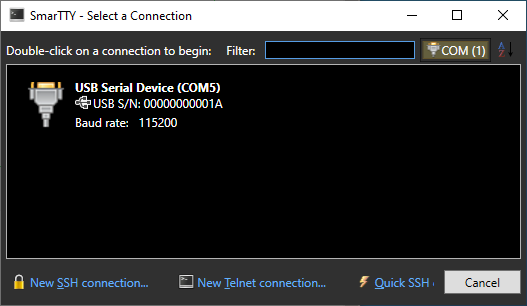
Double click USB Serial Device
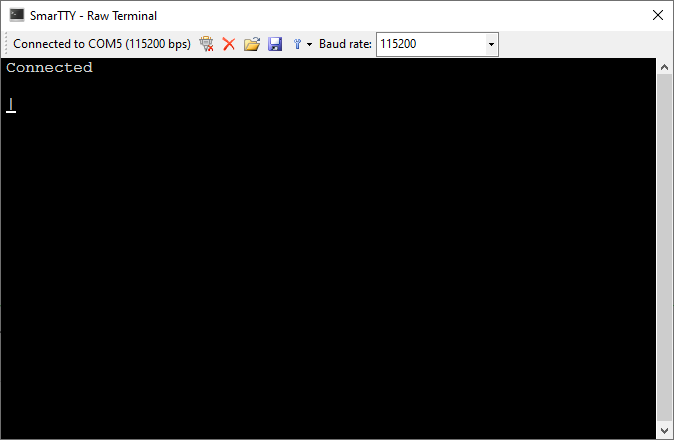
Press h
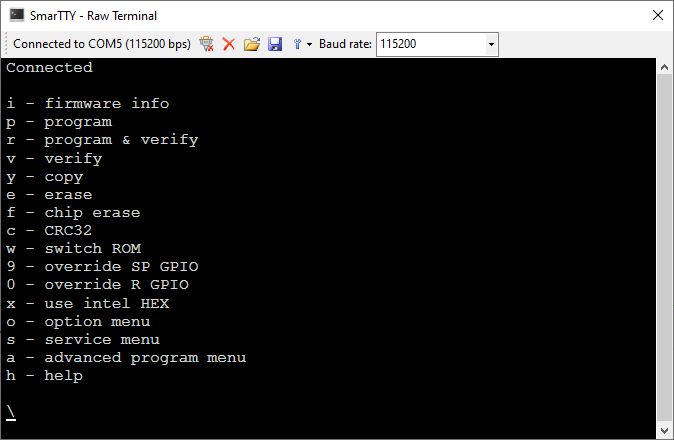
h will list menu options in any menu.
2. Configure
- Press o (option menu)
- Press p (preset wizard)
- Select 0-3 for EPROM size (e.g. 1=27C400 for Amiga 500)
- Press m for Master
- Press c (commit/save settings)
Command: choose preset
Size
0=27C200 (256KB)
1=27C400 (512KB)
2=27C800 (1024KB)
3=27C160 (2048KB)
Master/Slave? m/s
                    A17 A18 A19
pull-up              n   y   y
enable               n   y   y
ROM size            27C400 512KB
intial ROM          0
autosave initial    n
ROM switch pullup   n
wireless ROM switch y
enable LED          y

OK

Command: commit options to FLASH

OK
The wizard will automatically configure the module.
Press ^ to return to main menu.
3. Program
From the main menu
- Press p (program)
- Select 0-3 (ROM slot/bank)
- Select 2 or 5 (file size of ROM image on computer 256KB/512KB)
- Select y or n (byte swap)
- At Send binary prompt click "Send a binary file" button
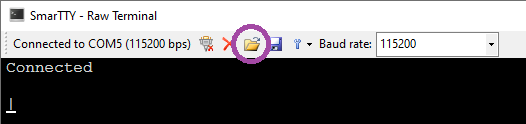
- Select ROM image & click Open
- Wait for OK
e.g. send Amiga Forever amiga-os-130.rom to slot/bank zero
- p
- 0
- 2
- y
- <send amiga-os-130.rom file>
Command: program 27C400 (512KB)
Slot? 0-3
Size? 1=128KB? 2=256KB? 5=512KB
Byte swap? y/n
slot 0, filesize 262144, byteswap 1
Erase, done
Address=000000,07ffff
Send binary
262144/262144
Took 5.267s

OK
On Amigas ROM images used for emulators will need byte swapping.
4. Use
Power on the A500 and it will boot to Kickstart v1.3 you just programmed.
5. ROM switching
Program slot/bank 1 with v3.1 using the same method.
Press and hold Control+Amiga+Amiga for two seconds & release. System will restart to Kickstart v3.1
Press and hold Control+Amiga+Amiga for three seconds & release. System will restart to Kickstart v1.3 again.
Reset times:
| Time | Action |
|---|---|
| <1s | Reset computer |
| 1s - 2.5s | Switch to next ROM slot |
| >2.5s | Switch to ROM slot 0 (zero) Tap reset to increment ROM number e.g. 3s + tap + tap => slot 2 |
| >5s | Cancel switch (stay on same ROM) |
Autosave will save ROM slot/bank for next boot after 10s.